SKIN
SETTINGS
Night Shift
Disable Canvas
简体中文
PAGE CONTENT
# Java网络编程
参考视频:BV1LJ411z7vY
网络内容大体已经学过。这里重点记录编程实现。
CSDN:https://blog.csdn.net/INFINITE_WAR/article/details/122516970
# 1.IP
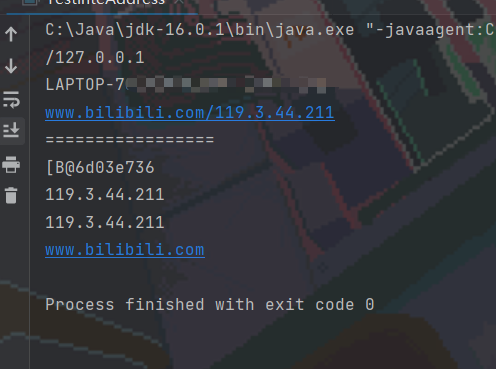
import java.net.InetAddress;
import java.net.UnknownHostException;

/**
 * 测试IP
 */
public class TestInteAddress {
    public static void main(String[] args) {
        try {
            InetAddress inetAddress1=InetAddress.getByName("127.0.0.1");
            InetAddress inetAddress2=InetAddress.getLocalHost();
            InetAddress inetAddress3=InetAddress.getByName("www.bilibili.com");
            System.out.println(inetAddress1);
            System.out.println(inetAddress2);
            System.out.println(inetAddress3);

            System.out.println("=================");
            System.out.println(inetAddress3.getAddress());
            System.out.println(inetAddress3.getCanonicalHostName());  //获取规范命名
            System.out.println(inetAddress3.getHostAddress());
            System.out.println(inetAddress3.getHostName());


        } catch (UnknownHostException e) {
            e.printStackTrace();
        }
    }
}
# 2.端口
端口表示计算机上的一个程序的进程:
- 不同的进程有不同的端口号
- 端口号范围:0~65535
- TCP和UDP各有65535个端口号。TCP的x端口与UDP的x端口不冲突。
端口分类:
- 公有端口 0~1023。如HTTP:30,HTTPS:443,FTP:21,Telnet:23
- 程序注册端口:1024~49151,用于分配用户或程序。如Tomcat:8080,MySQL:3306 ,Oracle:1521
- 动态、私有:49125~65535
netstat -ano  #查看所有的端口
netstat -ano|findstr "5900"  #筛选查询信息,只显示5900端口号信息
tasklist|findstr "8696" #查看指定端口的进程
import java.net.InetSocketAddress;

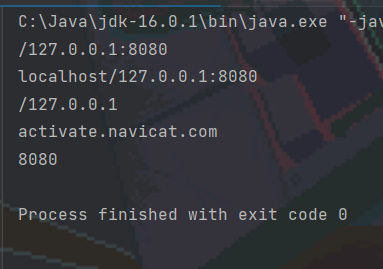
public class TestInetSocketAddress {
    public static void main(String[] args) {
        InetSocketAddress inetSocketAddress1=new InetSocketAddress("127.0.0.1",8080);  //8080为端口号
        InetSocketAddress inetSocketAddress2=new InetSocketAddress("localhost",8080);
        System.out.println(inetSocketAddress1);
        System.out.println(inetSocketAddress2);

        System.out.println(inetSocketAddress1.getAddress());
        System.out.println(inetSocketAddress1.getHostName());
        System.out.println(inetSocketAddress1.getPort());//获取端口号
    }
}
# 3.TCP
# 3.1 简易文本传输
客户端
- 连接服务器Socket
- 发送消息
package NetTest;

import java.io.IOException;
import java.io.OutputStream;
import java.net.InetAddress;
import java.net.Socket;
import java.net.UnknownHostException;
import java.nio.charset.StandardCharsets;

/**
*  客户端
*/
public class TcpCilentDemo {
    public static void main(String[] args) {
        Socket socket=null;
        OutputStream os=null;
        try {
            //1.要获取服务器的地址、端口号
            InetAddress serverIP=InetAddress.getByName("127.0.0.1");
            int port=9999;
            //2.创建一个socket连接
            socket=new Socket(serverIP,port);
            //发送消息  IO流
            os=socket.getOutputStream();
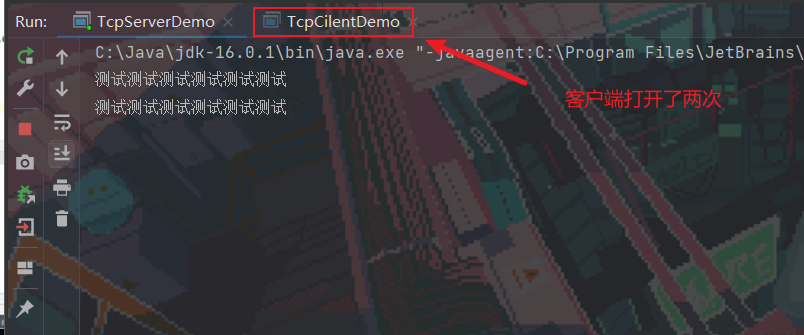
            os.write("测试测试测试测试测试测试".getBytes());

        } catch (Exception e) {
            e.printStackTrace();
        }

        if (os!=null) {
            try {os.close();}
            catch (IOException e) {e.printStackTrace();}
        }
        if (socket!=null) {
            try {socket.close();}
            catch (IOException e) {e.printStackTrace();}
        }
    }
}
服务器
- 建立服务的端口ServerSocket
- 通过accept()方法等待用户连接
- 接收用户的消息
package NetTest;

import java.io.ByteArrayOutputStream;
import java.io.IOException;
import java.io.InputStream;
import java.net.ServerSocket;
import java.net.Socket;


/**
*  服务器端
*/
public class TcpServerDemo {
    public static void main(String[] args) {
        ServerSocket serverSocket=null;
        Socket socket=null;
        InputStream is=null;
        ByteArrayOutputStream baos=null;
        try {
            //1.设置地址
            serverSocket=new ServerSocket(9999);
            while (true) {
                //2.等待客户端连接
                socket=serverSocket.accept();
                //3.读取客户端传输的信息。使用管道流
                is=socket.getInputStream();

                baos=new ByteArrayOutputStream();

                byte[] buffer=new byte[1024];
                int len;
                while((len=is.read(buffer))!=-1){
                    baos.write(buffer,0,len);
                }
                System.out.println(baos.toString());
            }


        } catch (IOException e) {
            e.printStackTrace();
        }
            //按栈的顺序关闭所有资源
            if (baos!=null) {
                try {baos.close();}
                catch (IOException e) {e.printStackTrace();}
            }
            if (is!=null) {
                try {is.close();}
                catch (IOException e) {e.printStackTrace();}
            }
            if (socket!=null) {
                try {socket.close();}
                catch (IOException e) {e.printStackTrace();}
            }
            if (serverSocket!=null) {
                try {serverSocket.close();}
                catch (IOException e) {e.printStackTrace();}
            }
    }
}
# 3.2 文件传输
客户端
package NetTest;

import java.io.*;
import java.net.InetAddress;
import java.net.Socket;

public class TcpCilentDemo {
    public static void main(String[] args) throws Exception{
        //1.创建一个scoket连接
        Socket socket=new Socket(InetAddress.getByName("127.0.0.1"),9000);
        //2.创建一个输出流
        OutputStream os=socket.getOutputStream();
        //3.读文件
        FileInputStream fis=new FileInputStream(new File("C:\\Users\\96955\\Desktop\\work.png"));
        //4.写文件
        byte[] buffer=new byte[1024];
        int len;
        while((len=fis.read(buffer))!=-1){
            os.write(buffer,0,len);
        }

        //通知服务器上传完毕
        socket.shutdownOutput();
        //确定服务器接收完毕。再断开连接
        InputStream is=socket.getInputStream();
        ByteArrayOutputStream baos=new ByteArrayOutputStream();
        while((len=is.read(buffer))!=-1){
            baos.write(buffer,0,len);
        }
        System.out.println(baos.toString());

        //5.关闭资源
        baos.close();
        is.close();
        fis.close();
        os.close();
        socket.close();
    }
}
服务器端
package NetTest;

import java.io.*;
import java.net.ServerSocket;
import java.net.Socket;
import java.nio.charset.StandardCharsets;

public class TcpServerDemo {
    public static void main(String[] args) throws Exception{
        //1.创建服务
        ServerSocket serverSocket=new ServerSocket(9000);
        //2.监听客户端的连接
        Socket socket=serverSocket.accept();  //阻塞式监听,会已知等待客户端的连接
        //3.获取输入流
        InputStream is=socket.getInputStream();
        //4.文件输出
        FileOutputStream fos=new FileOutputStream(new File("C:\\Users\\96955\\Desktop\\tempblog\\receive.png"));
        byte[] buffer=new byte[1024];
        int len;
        while((len=is.read(buffer))!=-1){
            fos.write(buffer,0,len);
        }

        //通知用户端接收完毕
        OutputStream os=socket.getOutputStream();
        os.write("接收完毕".getBytes());

        //5.关闭页面
        fos.close();
        is.close();
        socket.close();
        serverSocket.close();
    }
}
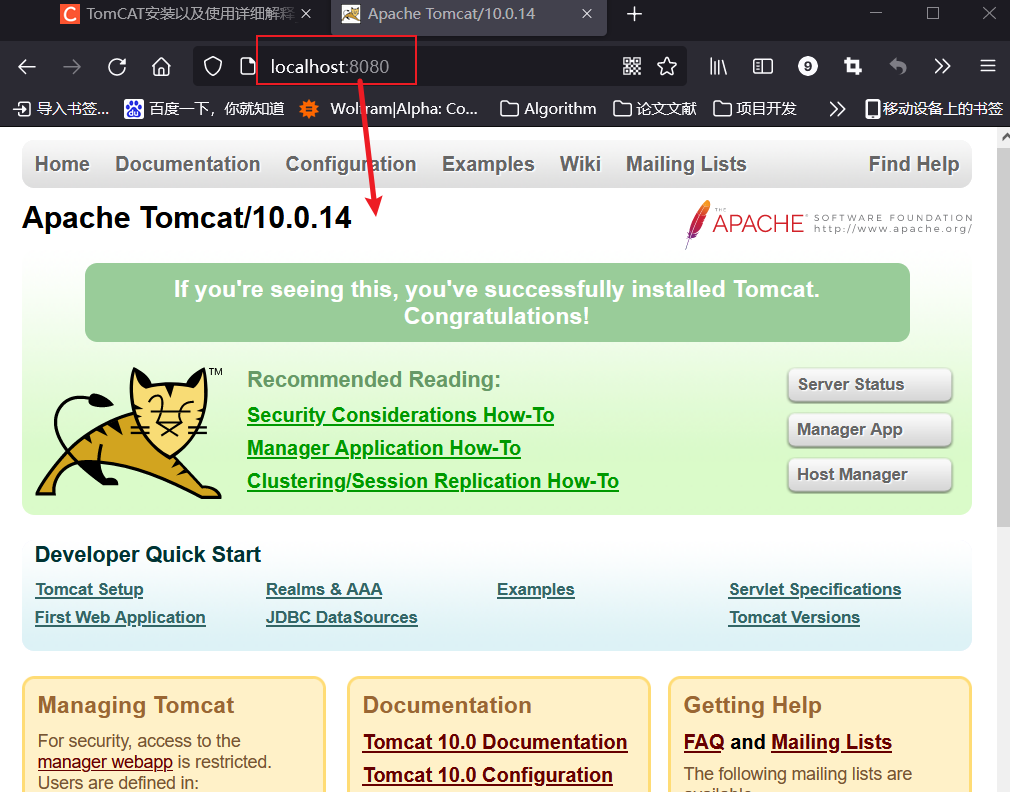
# 4.初识Tomcat
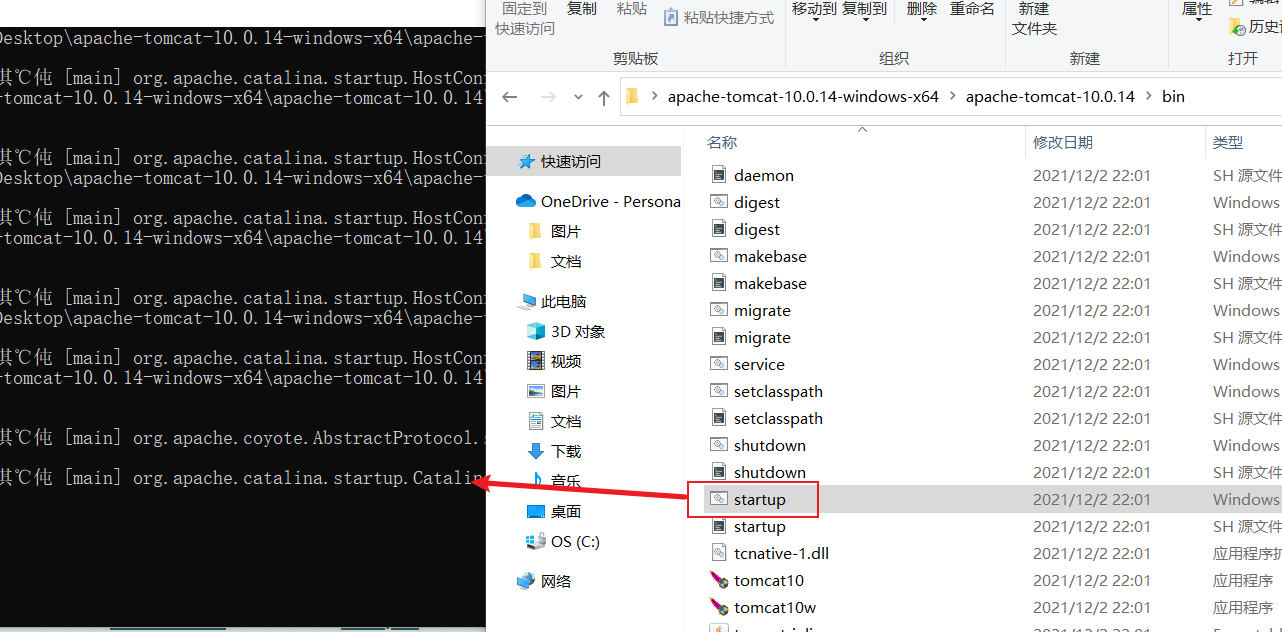
源码获取:https://github.com/apache/tomcat
可参考博客https://blog.csdn.net/o_o_gl/article/details/79662995
# 5.UDP
发短信:不用建立连接,但需要知道对方的地址
# 5.1 简易消息发送
客户端
package NetTest;

import java.net.DatagramPacket;
import java.net.DatagramSocket;
import java.net.InetAddress;
import java.nio.charset.StandardCharsets;

public class UDPClientDemo {
    public static void main(String[] args) throws Exception{
        //1.建立一个Socket
        DatagramSocket socket=new DatagramSocket();

        //2.建个包
        String msg="hello";
        InetAddress localHost=InetAddress.getByName("localhost");
        int port=9000;

        //传入参数:数据本身,数据的长度、起始位置,发送给谁
        DatagramPacket packet=new DatagramPacket(msg.getBytes(),0,msg.getBytes().length,localHost,port);
        //3.发送包
        socket.send(packet);

        //4.关闭连接
        socket.close();
    }
}
服务器端(也可以是客户端)
package NetTest;

import java.net.DatagramPacket;
import java.net.DatagramSocket;

public class UDPServerDemo {
    public static void main(String[] args)throws Exception {
        //开放端口
        DatagramSocket socket=new DatagramSocket(9000);
        //接收数据包
        byte[] buffer=new byte[1024];
        DatagramPacket packet=new DatagramPacket(buffer,0,buffer.length);
        socket.receive(packet); //阻塞接收
        System.out.println(packet.getAddress());
        System.out.println(new String(packet.getData(),0,packet.getLength()));
        //关闭连接
        socket.close();
    }
}

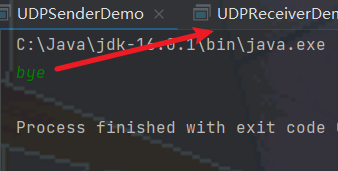
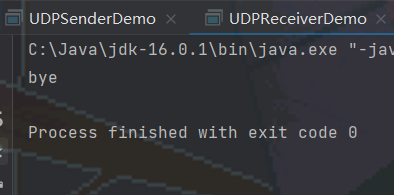
# 5.2 实现聊天
发送端
package NetTest;

import java.io.BufferedReader;
import java.io.InputStreamReader;
import java.net.DatagramPacket;
import java.net.DatagramSocket;
import java.net.InetSocketAddress;
import java.nio.charset.StandardCharsets;

public class UDPSenderDemo {
    public static void main(String[] args) throws Exception{
        DatagramSocket socket=new DatagramSocket(8888);
        //数据输入
        BufferedReader reader=new BufferedReader(new InputStreamReader(System.in));

        while (true) {
            String data=reader.readLine();
            byte[] datas=data.getBytes();
            DatagramPacket packet=new DatagramPacket(datas,0,datas.length,new InetSocketAddress("localhost",6666));

            socket.send(packet);
            if(data.equals("bye")){
                break;
            }
        }

        socket.close();
    }
}
接收端
package NetTest;

import java.net.DatagramPacket;
import java.net.DatagramSocket;

public class UDPReceiverDemo {
    public static void main(String[] args)throws Exception {
        DatagramSocket socket=new DatagramSocket(6666);

        while (true) {
            //准备接收数据包
            byte[] container=new byte[1024];
            DatagramPacket packet=new DatagramPacket(container,0,container.length);
            socket.receive(packet);

            //断开连接
            byte[] data=packet.getData();
            String receiveData=new String(data,0, packet.getLength());
            System.out.println(receiveData);

            if(receiveData.equals("bye")){
                break;
            }
        }
        socket.close();
    }
}
# 5.3 多线程在线咨询
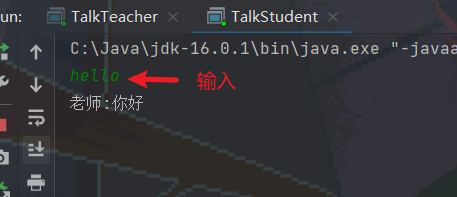
先实现发送和接收功能,分别封装成两个类
package NetTest;

import java.io.BufferedReader;
import java.io.IOException;
import java.io.InputStreamReader;
import java.net.DatagramPacket;
import java.net.DatagramSocket;
import java.net.InetSocketAddress;

//消息发送功能

public class TalkSend implements Runnable{
    DatagramSocket socket=null;
    BufferedReader reader=null;

    private  int fromPort;
    private String toIP;
    private int toPort;

    public TalkSend(int fromPort, String toIP, int toPort) {
        this.fromPort = fromPort;
        this.toIP = toIP;
        this.toPort = toPort;

        try{
            socket=new DatagramSocket(fromPort);
            reader=new BufferedReader(new InputStreamReader(System.in));
        }catch (Exception e){
            e.printStackTrace();
        }

    }

    @Override
    public void run(){

        while (true) {
            try {
                String data=reader.readLine();
                byte[] datas=data.getBytes();
                DatagramPacket packet=new DatagramPacket(datas,0,datas.length,new InetSocketAddress(this.toIP,this.toPort));

                socket.send(packet);
                if(data.equals("bye")){
                    break;
                }
            } catch (IOException e) {
                e.printStackTrace();
            }
        }
        socket.close();
    }
}
package NetTest;

import java.io.BufferedReader;
import java.io.IOException;
import java.io.InputStreamReader;
import java.net.DatagramPacket;
import java.net.DatagramSocket;
import java.net.InetSocketAddress;
import java.net.SocketException;

//消息接收功能
public class TalkReceive implements Runnable{
    DatagramSocket socket=null;
    private int port;
    private String msgFrom;

    public TalkReceive(int port,String msgFrom) {
        this.port = port;
        this.msgFrom=msgFrom;
        try {
            socket=new DatagramSocket(port);
        } catch (SocketException e) {
            e.printStackTrace();
        }
    }

    @Override
    public void run(){
        while (true) {
            try {
                //准备接收数据包
                byte[] container=new byte[1024];
                DatagramPacket packet=new DatagramPacket(container,0,container.length);
                socket.receive(packet);

                //断开连接
                byte[] data=packet.getData();
                String receiveData=new String(data,0, packet.getLength());
                System.out.println(msgFrom+":"+receiveData);

                if(receiveData.equals("bye")){
                    break;
                }
            } catch (IOException e) {
                e.printStackTrace();
            }
        }
        socket.close();
    }
}
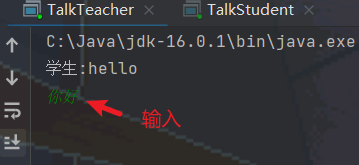
两个功能作为两个线程写入用户类
package NetTest;

public class TalkStudent {
    public static void main(String[] args) {
        //开启两个线程
        new Thread(new TalkSend(7777,"localhost",9999)).start();
        new Thread(new TalkReceive(8888,"老师")).start();
    }
}
package NetTest;

public class TalkTeacher {
    public static void main(String[] args) {
        new Thread(new TalkSend(5555,"localhost",8888)).start();
        new Thread(new TalkReceive(9999,"学生")).start();
    }
}
# 6.URL
package NetTest;

import javax.net.ssl.HttpsURLConnection;
import java.io.FileOutputStream;
import java.io.IOException;
import java.io.InputStream;
import java.net.HttpURLConnection;
import java.net.URL;

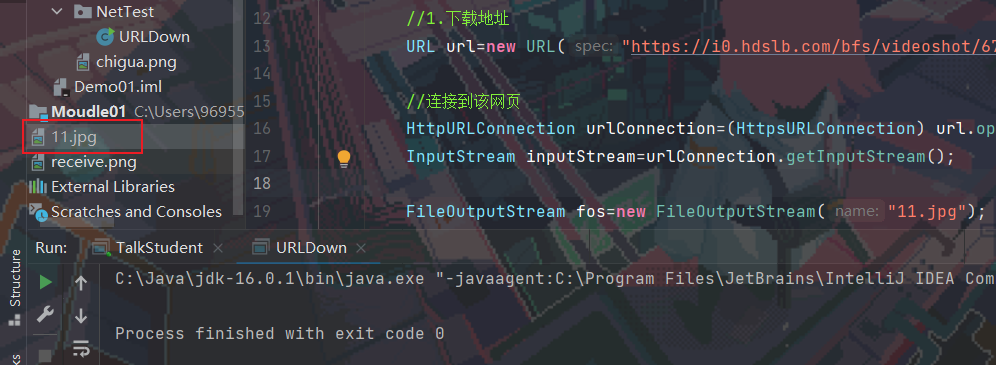
public class URLDown {
    public static void main(String[] args) throws IOException {
        //1.下载地址
        URL url=new URL("https://i0.hdslb.com/bfs/videoshot/67730043.jpg");

        //2.连接到该网页
        HttpURLConnection urlConnection=(HttpsURLConnection) url.openConnection();
        InputStream inputStream=urlConnection.getInputStream();

        FileOutputStream fos=new FileOutputStream("11.jpg");
        byte[] buffer=new byte[1024];
        int len;
        while((len=inputStream.read(buffer))!=-1){
            fos.write(buffer,0,len);
        }

        fos.close();
        inputStream.close();
        urlConnection.disconnect();
    }
}
The post above ended Thanks for your reading
Come on! Write some comments, and your suggestions will improve the quality of my creative!

QQ

WeChat
Enable Read Mode
COMMENTS
PLAYLIST